


-

- tng
How to Register as an Instructor on EMORI
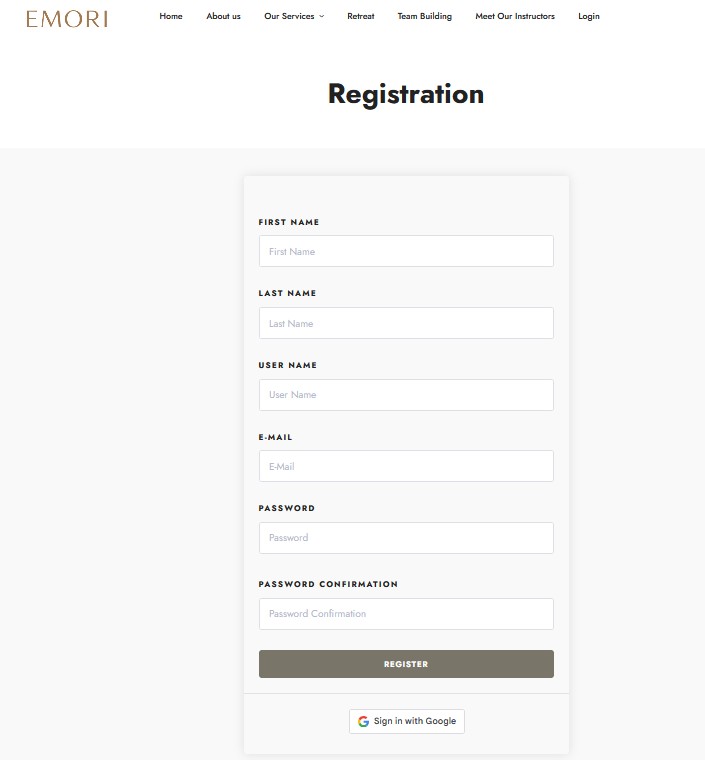
1) Submit Your Application
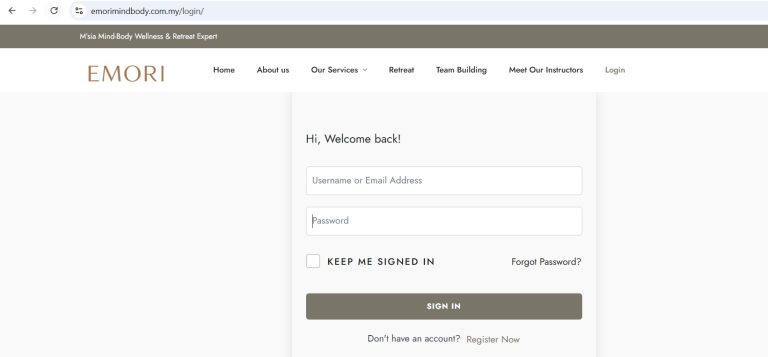
Click “Register Now” → submit Registration or Sign in with Google
2) Email Verification
After submitting the application, you will receive a verification email.
Note: 📩 Please check both Inbox and Junk/Spam folders.
3) Verification Completed
Once your email is verified, you will receive a confirmation email from the platform.
4) Application Pending Approval
Log in to your account. You will see the status “Your application is pending.”
Your instructor role cannot upload courses yet. You will gain full instructor access only after the EMORI admin approves your application.
5) After your Instructor role is approved by the admin
Once the EMORI team approves your application, your dashboard will automatically unlock all Instructor Features, including course creation, course management, earning withdrawal, dashboard, analytics, and more.